



Sizing a cable tray looks simple at first glance, but mixing power and data cables creates hidden risks. Many installers only check total cable count and skip thermal derating, separation rules and future expansion. This often leads to overloaded trays, overheating power cables, or degraded data signal performance. Whether you are working on a commercial building, data center, factory or energy site, following a structured sizing workflow keeps your cable support system safe and compliant.
Start with a Complete Cable Schedule
List all cables with real outer diameters
Begin by compiling a full cable list. For every cable, note the cable type, quantity, outer diameter and operating voltage. Do not rely on nominal conductor sizes only; the outer jacket thickness changes the actual space each cable occupies. Separate the list into power cables, control cables and data or fiber cables. This grouping makes fill calculation and segregation much easier.
Define cable routing and tray type
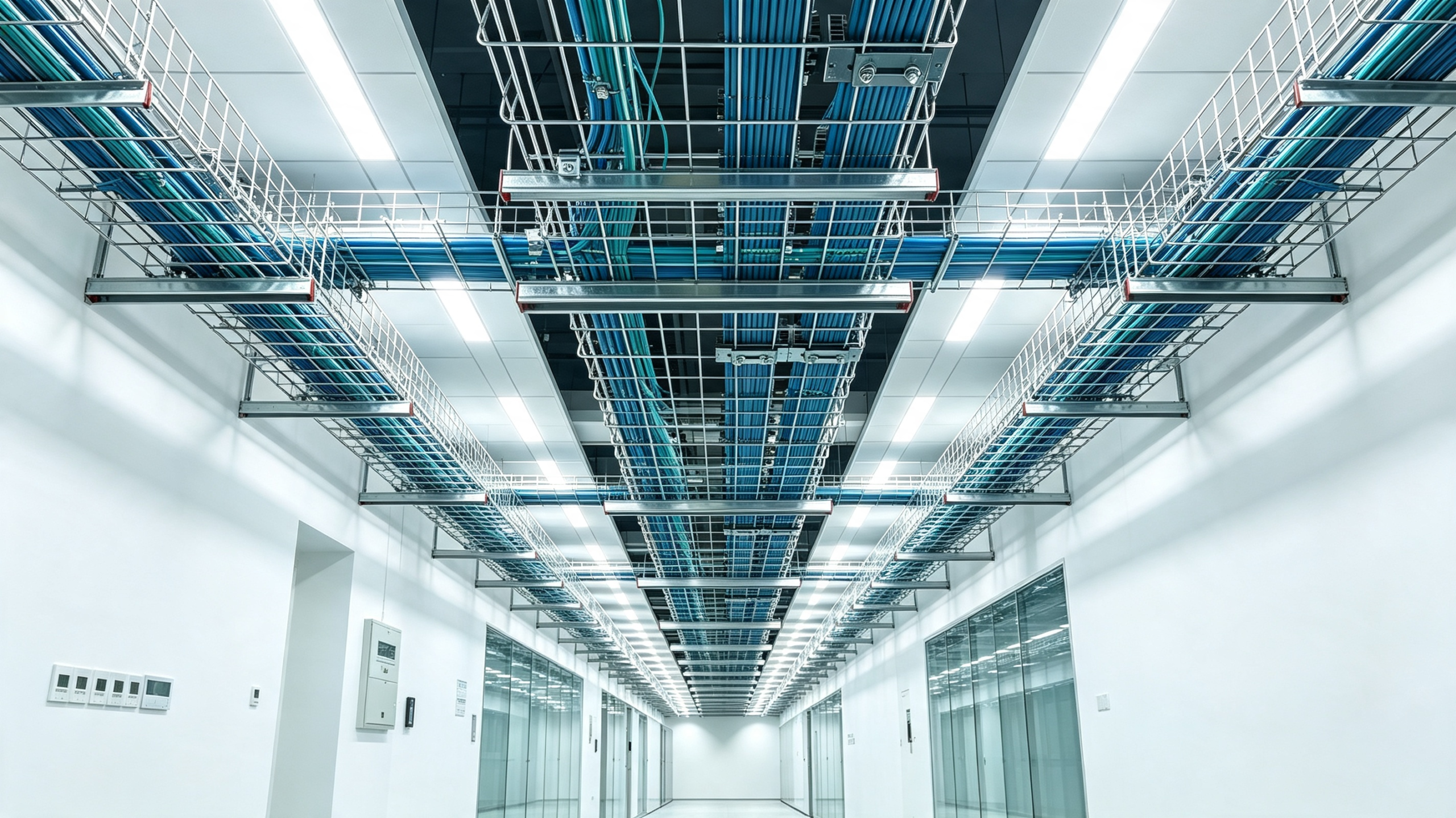
Ladder tray, ventilated trough and solid-bottom tray all have different usable fill limits. Solid-bottom trays trap more heat, so they require lower fill ratios for power cables. Ladder trays offer better airflow and are widely used for heavy power cable runs. Data and fiber cables often use ventilated or mesh trays to reduce heat buildup and make cable pulling easier.
Reserve space for future additions
A common mistake is sizing the tray only for the cables installed in the first phase. Most projects need 20% to 25% spare capacity for later upgrades, new equipment or cable replacement. Building this extra space into your initial sizing avoids costly tray replacement or extra support brackets later.
Calculate Cable Tray Fill Ratio for Mixed Power and Data Runs
Understand fill limits for different cable types
Power cables produce heat during operation. When stacked too tightly, heat cannot escape, and cable ampacity drops. Industry best practice keeps power cables under 40% fill area for multi-layer stacking. Data, fiber and communication cables run cooler and can go up to 50% fill, but never combine high voltage power cables and sensitive data cables in the same tray without proper barriers or separate trays.
Do the cross-section calculation
Add up the total cross-sectional area of all cables. Divide this total area by your chosen allowable fill ratio. The result gives the minimum usable cross-section area your tray must provide. Then select tray width and side depth to match this area. Always check the manufacturer’s load table, because fill area is not the same as mechanical load capacity.
Keep power and data separated where required
Strong electromagnetic interference from power cables can slow down or corrupt data signals. For high-speed data or fiber, use separate trays or internal dividers. If you must run them on the same tray, maintain clear spacing and follow local electrical codes. BDCABLETRAY supplies internal dividers and barrier accessories for mixed cable installations.
Check Mechanical Load, Span and Cable Bend Radius
Total cable weight and support spacing
Fill ratio only covers space. You still need to calculate total weight from all cables, plus tray weight and accessories. Longer unsupported spans require heavier duty tray or closer hangers. FRP cable trays from BDCABLETRAY are lighter than steel, but deflection limits must be checked carefully for heavy cable loads.
Bend radius at corners and tees
Cable bends need enough room, especially for large power cables and fiber optic cables. If you select a narrow tray with tight fittings, cables can get crushed during pulling. When sizing, match tray elbows, tees and reducers to the minimum bend radius required by your cable datasheet.
Derate for high temperature or corrosive environments
Outdoor sites, chemical plants and coastal areas affect both cable performance and tray material. Hot ambient temperatures reduce cable ampacity, which means you may need to lower the fill percentage even if the area calculation looks acceptable. In corrosive environments, FRP cable trays from BDCABLETRAY are often a better choice than galvanized steel.
Top Mistakes When Sizing Cable Tray for Power & Data Cables
Estimating cable diameters instead of checking datasheets
Rough guesses on outer diameter usually lead to undersized trays. When cables arrive on site, the installer finds they cannot fit all planned cables.
Ignoring heat derating for stacked power cables
Many designers calculate fill area only and forget thermal derating. Even if cables fit physically, overheating can shorten cable life and create safety hazards.
Putting power and sensitive data cables together without shielding or separation
This error does not always show up during installation. It causes intermittent signal issues that are hard to troubleshoot after the project is live.
Forgetting weight load and only focusing on space
A tray may have enough room, but it can bend or sag under heavy cable weight. This damages cables and creates safety risks.
Leaving no spare space for future project changes
The cheapest mistake in cable tray design is no expansion margin. Revamp projects often require new cables, and there is no room left.

Contact BDCABLETRAY
If you need help sizing cable tray for mixed power and data cables, BDCABLETRAY’s engineering team can review your cable schedule, calculate fill ratios and recommend suitable tray styles, accessories and materials. We supply ladder, trough, solid-bottom and FRP cable trays with full technical documentation for commercial, industrial and data center projects. Contact BDCABLETRAY for sizing consultation and quotation.
FAQ
Q1: What is the recommended fill ratio for power cables in cable tray? For multi-layer power cable installations, 40% of the tray usable cross-sectional area is the common safe limit. Single layer power cables may allow up to 50% depending on the tray type and local electrical standards. Always account for heat dissipation and ampacity derating before finalizing selection.
Q2: Can I run power cables and data cables in the same cable tray? It depends on voltage level and signal sensitivity. Low voltage control and data cables can sometimes share the same tray with internal dividers. High voltage power cables and high-speed fiber or data cables should use separate trays to avoid electromagnetic interference. Check local codes before design.
Q3: What is the difference between fill ratio and mechanical load for cable tray sizing? Fill ratio measures how much space the cables occupy inside the tray. Mechanical load calculates the total weight of cables, tray and fittings over the support span. Both are required. A tray can have enough space but fail structurally under heavy cable weight.
Q4: How much spare space should I reserve for future cables in cable tray? Most engineering teams recommend 20% to 25% spare capacity. This reserve makes it easier to add new cables, replace damaged cables or adjust layouts during future plant upgrades without replacing the whole tray system.
Q5: Does BDCABLETRAY provide cable tray sizing service? Yes. BDCABLETRAY’s engineers can review your cable list, routing drawings and site conditions to calculate fill ratio, weight load and recommend tray type, dimensions and accessories. Send your cable schedule for technical support and quotation.
Do you want me to adjust the word count, or swap some sections for more practical calculation examples?